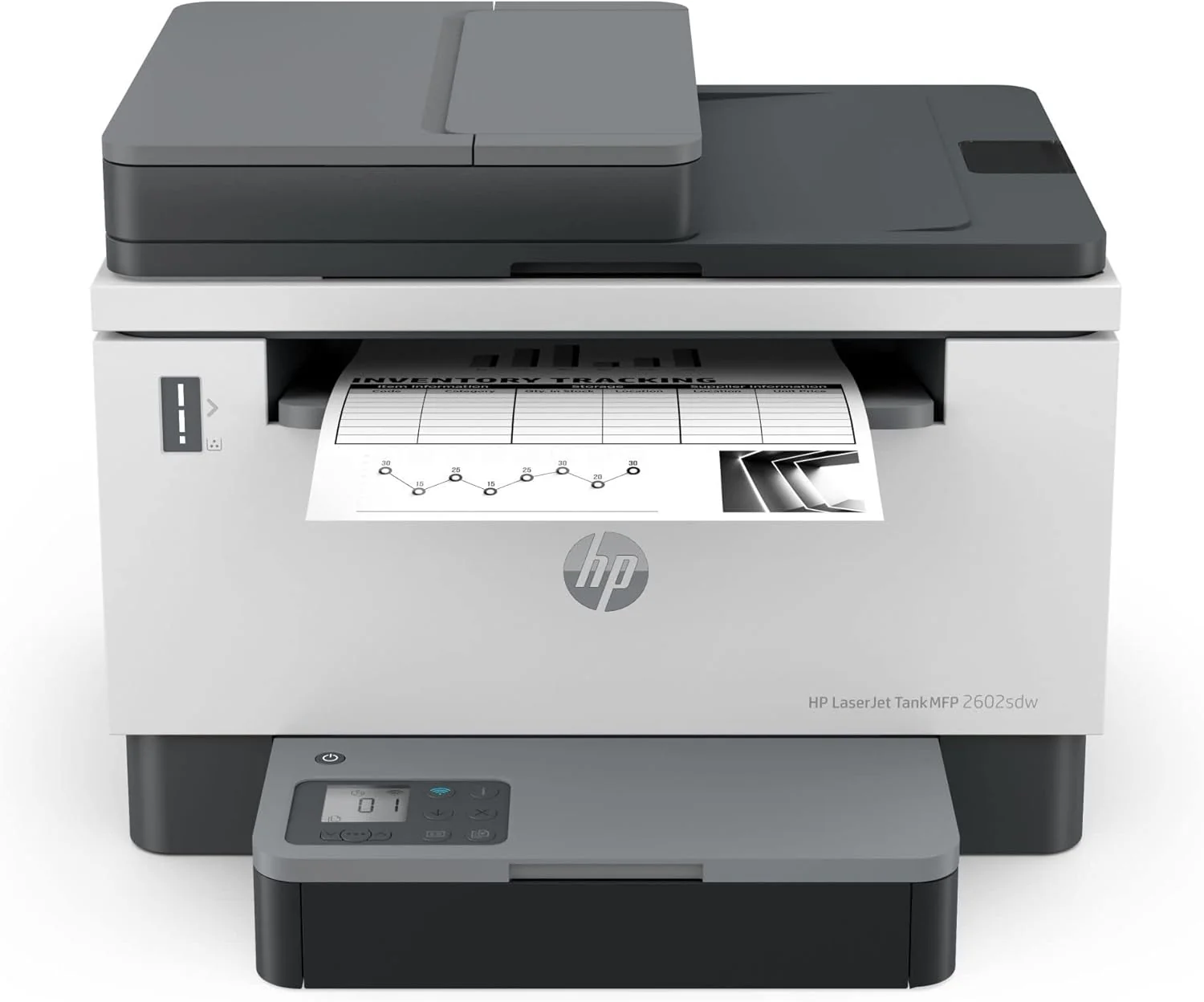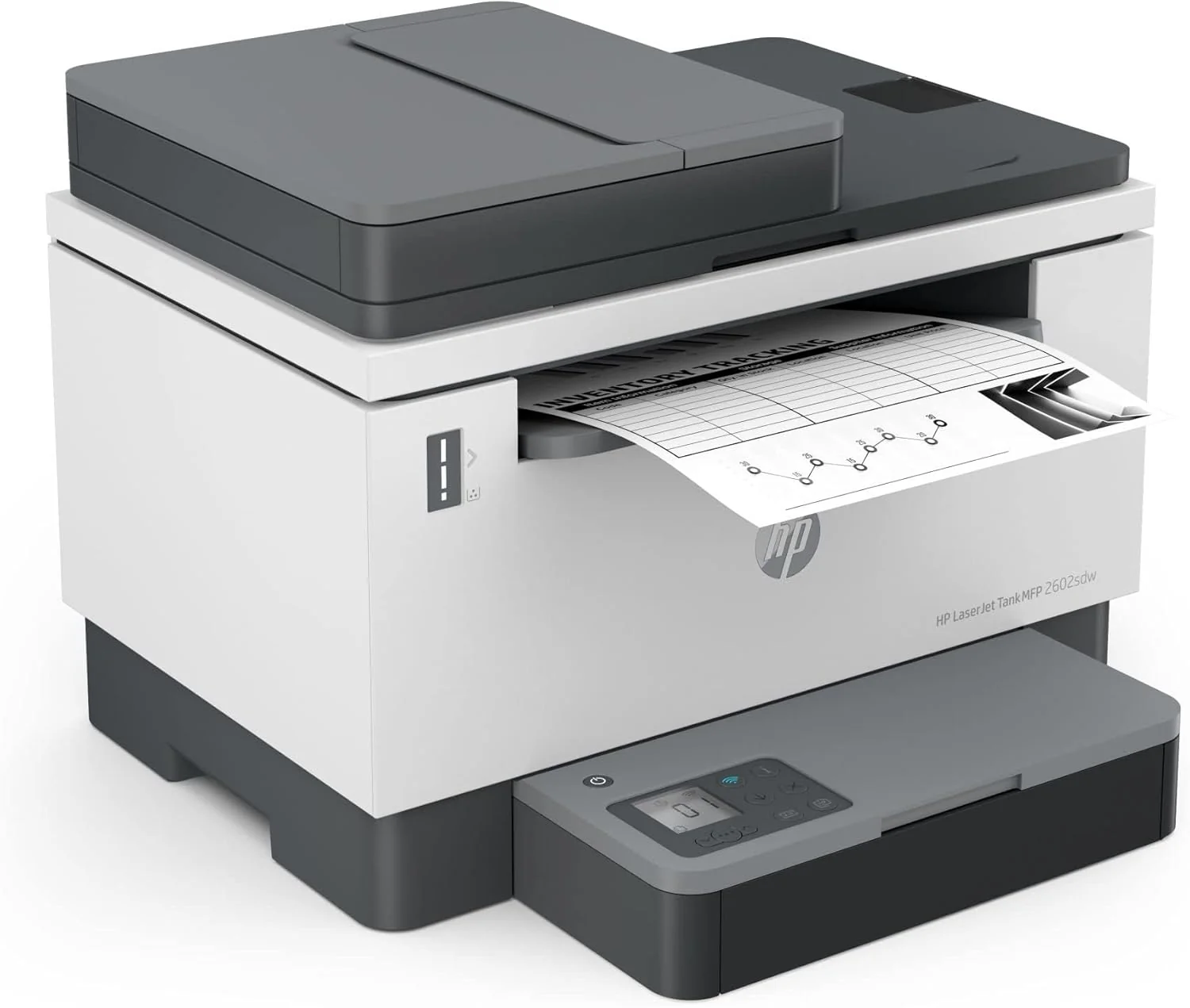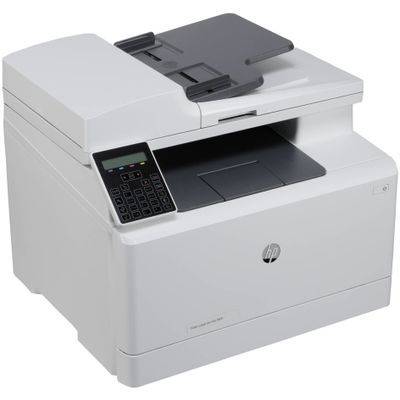


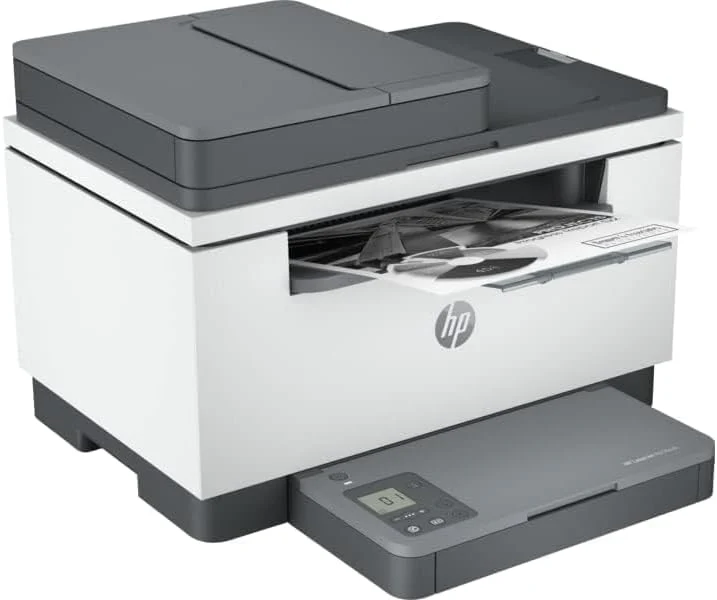
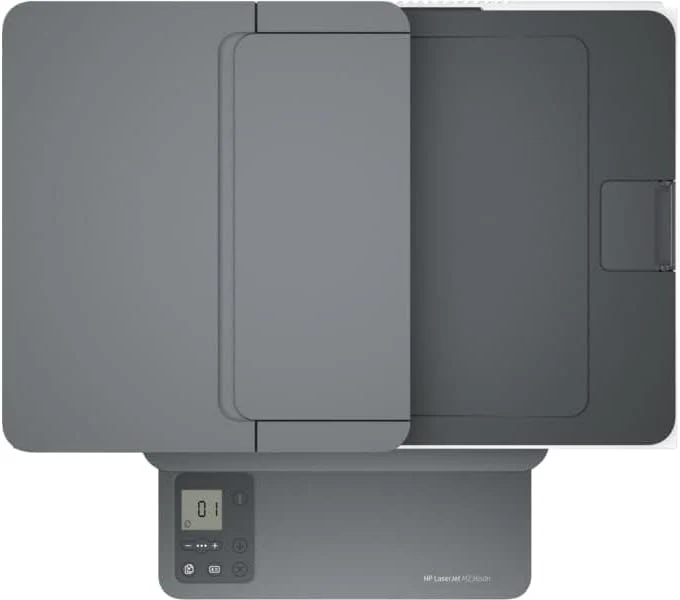
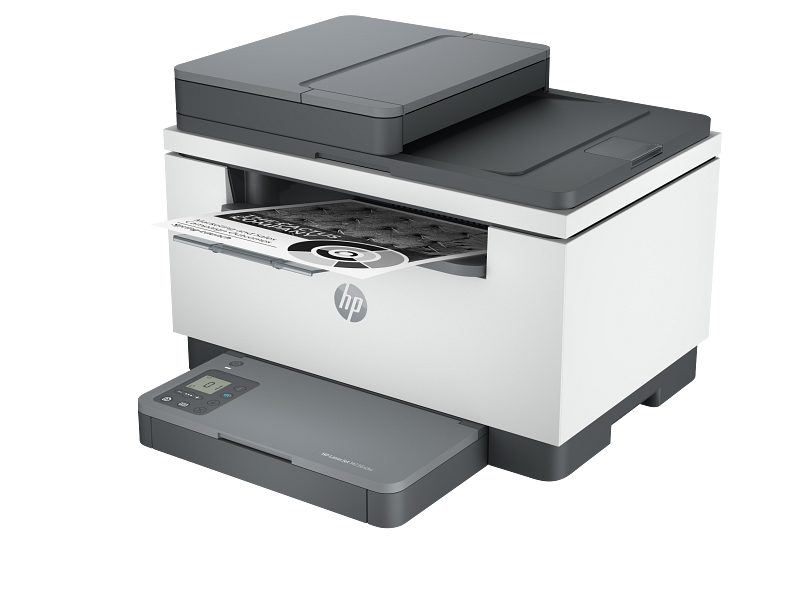
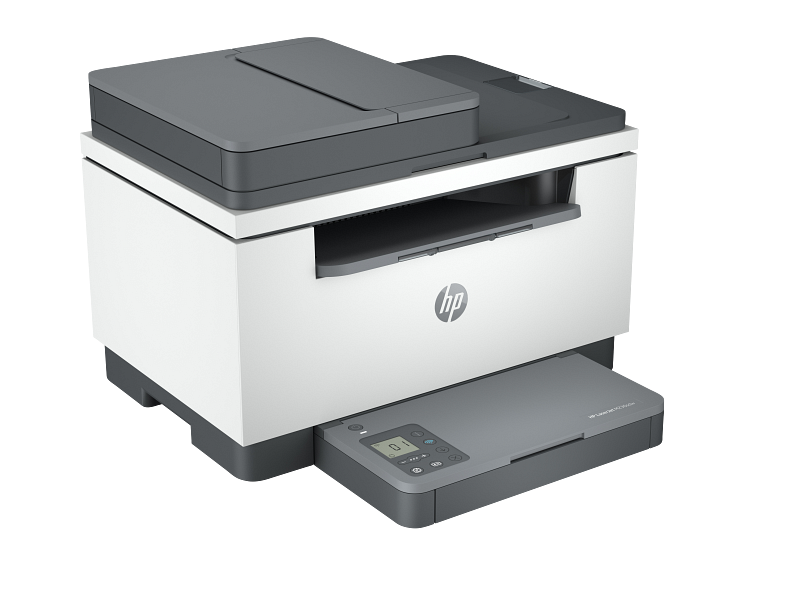
HP LaserJet MFP M236 Print, Copy, Scan 29ppm, 600dpi, A4- Mono Laser Printer

Work fast. Work smart.
Increase productivity with the fastest two-sided printing in its class, 5 a 40-page automatic feeder, and dual-band Wi-Fi™ with self-reset 6 - all from a compact MFP.
Stay productive from anywhere
Get high-quality scanning from your phone – plus print and save time with Shortcuts – using HP app, best-in-class print app. 7 8 9
Easy to set up, easy to use
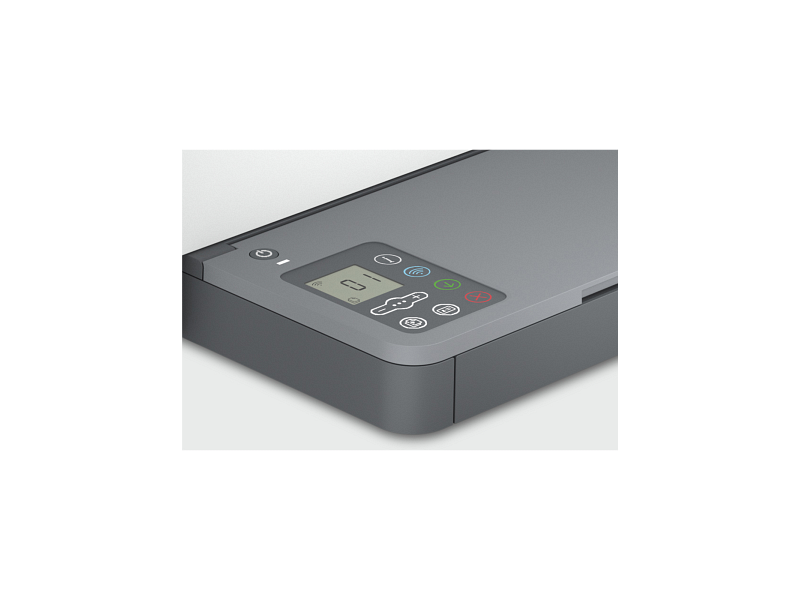
Easily knock out projects with seamless setup and smart-guided buttons and lighting for an intuitive printing experience.
Help make a positive impact on the environment
Help save energy with this ecolabel-certified laser printer. Plus, using HP FSC®-certified paper, you can help to stop deforestation.
Get wireless two-sided printing, 4 smart setup and mobility solutions, 1 and MFP productivity.
Fastest in-class two-sided printing speed
Speed through multipage documents with the fastest in-class two-sided printing speed.
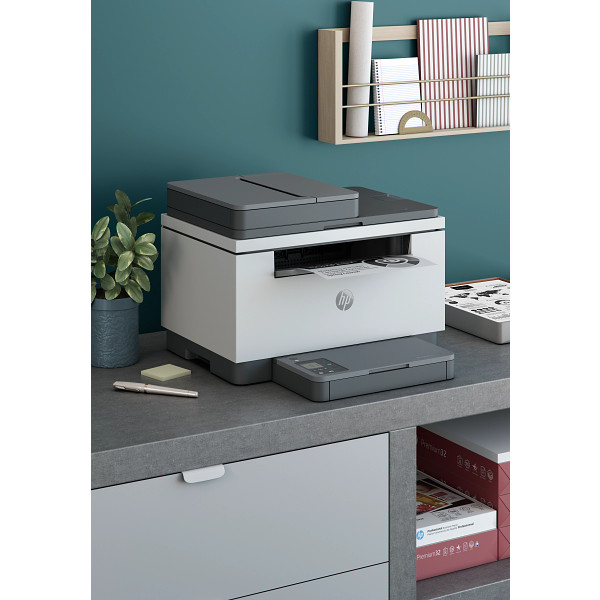
Small size. Big performance.
A LaserJet so compact it can fit almost anywhere.
Your reliable connection
Get better range and faster, more reliable connections using dual-band Wi-Fi™ with self-reset.
Increase productivity
Breeze through tasks with automatic scanning and copying.
HP LaserJet MFP M236sdw Printer (9YG09A)
| Functions |
Print, copy, scan |
|---|---|
| Print speed black (ISO, letter) |
Up to 30 ppm 1 |
| Print speed black (ISO, A4) |
Up to 29 ppm 1 |
| First page out black (letter, ready) |
As fast as 6.9 sec 2 ( 2 Measured using ISO/IEC 17629. For more information see http://www.hp.com/go/printerclaims. Exact speed varies depending on the system configuration, software application, driver, and document complexity.) |
| First page out black (A4, ready) |
As fast as 7 sec 2 ( 2 Measured using ISO/IEC 17629. For more information see http://www.hp.com/go/printerclaims. Exact speed varies depending on the system configuration, software application, driver, and document complexity.) |
| First page out color (letter, ready) |
2 ( 2 Measured using ISO/IEC 17629. For more information see http://www.hp.com/go/printerclaims. Exact speed varies depending on the system configuration, software application, driver, and document complexity.) |
| First page out color (A4, ready) |
2 ( 2 Measured using ISO/IEC 17629. For more information see http://www.hp.com/go/printerclaims. Exact speed varies depending on the system configuration, software application, driver, and document complexity.) |
| Duplex printing |
Auto-duplex |
| Duty cycle (monthly, letter) |
Up to 20,000 pages (Duty cycle is defined as the maximum number of pages per month of imaged output. This value provides a comparison of product robustness in relation to other HP LaserJet or HP Color LaserJet devices, and enables appropriate deployment of printers and MFPs to satisfy the demands of connected individuals or groups.) |
| Duty cycle (monthly, A4) |
Up to 20,000 pages (Duty cycle is defined as the maximum number of pages per month of imaged output. This value provides a comparison of product robustness in relation to other HP LaserJet or HP Color LaserJet devices, and enables appropriate deployment of printers and MFPs to satisfy the demands of connected individuals or groups.) |
| Recommended monthly page volume |
200 to 2,000 (HP recommends that the number of printed pages per month be within the stated range for optimum device performance, based on factors including supplies replacement intervals and device life over an extended warranty period.) |
| Print quality black (best) |
Up to 600 x 600 dpi |
| Print languages |
PCLmS; URF; PWG |
| Print technology |
Laser |
| Connectivity, standard |
1 Hi-Speed USB 2.0 (device); Ethernet 10/100 Base-TX; Wireless 802.11a/b/g/n, Dual band 2.4GHz/5GHz |
| Mobile printing capability |
Apple AirPrint™; Mopria™ certified; HP app; Wi-Fi® Direct Printing |
| Network capabilities |
1 Ethernet 10/100Base-TX; 1 built-in Wi-Fi 802.11b/g/n |
| Wireless capability |
Yes, built-in Wi-Fi 802.11b/g/n |
| Minimum System Requirements for Macintosh |
Apple® macOS v10.14 Mojave, macOS v10.15 Catalina, macOS v11 Big Sur; 2 GB HD; Internet required |
| Minimum System Requirements |
Microsoft® Windows® 10, 8.1, 8, 2 GB available hard disk space, Internet connection, Microsoft® Internet Explorer. |
| Display |
4 cm (1.6 in) Icon LCD |
| Processor speed |
500 MHz |
| Maximum Memory |
64 MB
|
| Memory |
64 MB |
| Memory card compatibility |
No |
| Internal Storage |
No |
| Compatible Operating Systems |
Windows 11; Windows 10; Windows 8; Windows 8.1; macOS 10.14 Mojave; macOS 10.15 Catalina; macOS 11 Big Sur; macOS 12 Monterey; macOS 15 Sequoia; Linux (Not supporting Windows® XP (64-bit) and Windows Vista® (64-bit) Full solution software available only for Windows 10 and newer; For Windows Server 2008 R2 64-bit, 2012 64-bit, 2012 R2 64-bit, 2016 64-bit only print driver is installed. Windows RT OS for Tablets (32 & 64-bit) uses a simplified HP print driver built into the RT OS; Linux systems use in-OS HPLIP software.) |
| Paper handling input, standard |
150-sheet input tray |
| Paper handling output, standard |
100-sheet output tray |
| Media types |
Paper (laser, plain, rough, vellum), Envelopes, Labels, Cardstock, Postcard |
| Media sizes supported |
A4; A5; A6; B5 (JIS) |
| Media sizes, custom |
101.6 x 152.4 to 216 x 356 mm |
| Scanner type |
Flatbed, ADF |
| Scan file format |
JPEG, TIF, PDF, BMP, PNG |
| Scan resolution, optical |
Up to 600 dpi |
| Scan resolution, hardware |
600 x 600 dpi |
| Scan size (ADF), maximum |
216 x 356 mm |
| Scan size (ADF), minimum |
148 x 210 mm |
| Scan size, maximum |
216 x 297 mm |
| Scan speed (normal, A4) |
Up to 19 ppm (black and white), up to 10 ppm (colour) 3 |
| Scan speed (normal, letter) |
Up to 20 ppm (b&w), up to 11 ppm (color) 3 |
| Automatic document feeder capacity |
Standard, 40 sheets |
| Duplex ADF scanning |
No |
| Copy speed (black, normal quality, A4) |
Up to 29 cpm |
| Copy resolution (black text) |
Up to 600 x 600 dpi |
| Copies, maximum |
Up to 99 copies |
| Copy reduce / enlarge settings |
25 to 400% |
| Copier settings |
Reduce/Enlarge; Number of Copies; Lighter/Darker; Optimize; Paper size/type. It supports collation and single-sided on ADF bundles. |
| Faxing |
No |
| Power consumption |
453 watts (active printing), 3.3 watts (ready), 0.6 watts (sleep), 0.6 watts (Auto Off/Wake on LAN, enabled at shipment), 0.04 watts (Auto-off/Manual-on), 0.04 (Manual Off) (Power requirements are based on the country/region where the printer is sold. Do not convert operating voltages. This will damage the printer and void the product warranty. Power consumption values typically based on measurement of 115V device.) |
| Power |
220 to 240 VAC (+/- 10%), 60 Hz/50 Hz, 2.8 A |
| Operating humidity range |
10 to 80% RH |
| Recommended operating humidity range |
30 to 70% RH |
| Non-Operating Humidity Range |
10 to 90% RH |
| Operating temperature range |
15 to 32.5ºC |
| Operating temperature range |
59 to 90.5ºF |
HP LaserJet MFP M236sdn Printer
Original: $265.15
-65%$265.15
$92.80Product Information
Product Information
Shipping & Returns
Shipping & Returns
Description
Work fast. Work smart.
Increase productivity with the fastest two-sided printing in its class, 5 a 40-page automatic feeder, and dual-band Wi-Fi™ with self-reset 6 - all from a compact MFP.
Stay productive from anywhere
Get high-quality scanning from your phone – plus print and save time with Shortcuts – using HP app, best-in-class print app. 7 8 9
Easy to set up, easy to use
Easily knock out projects with seamless setup and smart-guided buttons and lighting for an intuitive printing experience.
Help make a positive impact on the environment
Help save energy with this ecolabel-certified laser printer. Plus, using HP FSC®-certified paper, you can help to stop deforestation.
Get wireless two-sided printing, 4 smart setup and mobility solutions, 1 and MFP productivity.
Fastest in-class two-sided printing speed
Speed through multipage documents with the fastest in-class two-sided printing speed.
Small size. Big performance.
A LaserJet so compact it can fit almost anywhere.
Your reliable connection
Get better range and faster, more reliable connections using dual-band Wi-Fi™ with self-reset.
Increase productivity
Breeze through tasks with automatic scanning and copying.
HP LaserJet MFP M236sdw Printer (9YG09A)
| Functions |
Print, copy, scan |
|---|---|
| Print speed black (ISO, letter) |
Up to 30 ppm 1 |
| Print speed black (ISO, A4) |
Up to 29 ppm 1 |
| First page out black (letter, ready) |
As fast as 6.9 sec 2 ( 2 Measured using ISO/IEC 17629. For more information see http://www.hp.com/go/printerclaims. Exact speed varies depending on the system configuration, software application, driver, and document complexity.) |
| First page out black (A4, ready) |
As fast as 7 sec 2 ( 2 Measured using ISO/IEC 17629. For more information see http://www.hp.com/go/printerclaims. Exact speed varies depending on the system configuration, software application, driver, and document complexity.) |
| First page out color (letter, ready) |
2 ( 2 Measured using ISO/IEC 17629. For more information see http://www.hp.com/go/printerclaims. Exact speed varies depending on the system configuration, software application, driver, and document complexity.) |
| First page out color (A4, ready) |
2 ( 2 Measured using ISO/IEC 17629. For more information see http://www.hp.com/go/printerclaims. Exact speed varies depending on the system configuration, software application, driver, and document complexity.) |
| Duplex printing |
Auto-duplex |
| Duty cycle (monthly, letter) |
Up to 20,000 pages (Duty cycle is defined as the maximum number of pages per month of imaged output. This value provides a comparison of product robustness in relation to other HP LaserJet or HP Color LaserJet devices, and enables appropriate deployment of printers and MFPs to satisfy the demands of connected individuals or groups.) |
| Duty cycle (monthly, A4) |
Up to 20,000 pages (Duty cycle is defined as the maximum number of pages per month of imaged output. This value provides a comparison of product robustness in relation to other HP LaserJet or HP Color LaserJet devices, and enables appropriate deployment of printers and MFPs to satisfy the demands of connected individuals or groups.) |
| Recommended monthly page volume |
200 to 2,000 (HP recommends that the number of printed pages per month be within the stated range for optimum device performance, based on factors including supplies replacement intervals and device life over an extended warranty period.) |
| Print quality black (best) |
Up to 600 x 600 dpi |
| Print languages |
PCLmS; URF; PWG |
| Print technology |
Laser |
| Connectivity, standard |
1 Hi-Speed USB 2.0 (device); Ethernet 10/100 Base-TX; Wireless 802.11a/b/g/n, Dual band 2.4GHz/5GHz |
| Mobile printing capability |
Apple AirPrint™; Mopria™ certified; HP app; Wi-Fi® Direct Printing |
| Network capabilities |
1 Ethernet 10/100Base-TX; 1 built-in Wi-Fi 802.11b/g/n |
| Wireless capability |
Yes, built-in Wi-Fi 802.11b/g/n |
| Minimum System Requirements for Macintosh |
Apple® macOS v10.14 Mojave, macOS v10.15 Catalina, macOS v11 Big Sur; 2 GB HD; Internet required |
| Minimum System Requirements |
Microsoft® Windows® 10, 8.1, 8, 2 GB available hard disk space, Internet connection, Microsoft® Internet Explorer. |
| Display |
4 cm (1.6 in) Icon LCD |
| Processor speed |
500 MHz |
| Maximum Memory |
64 MB
|
| Memory |
64 MB |
| Memory card compatibility |
No |
| Internal Storage |
No |
| Compatible Operating Systems |
Windows 11; Windows 10; Windows 8; Windows 8.1; macOS 10.14 Mojave; macOS 10.15 Catalina; macOS 11 Big Sur; macOS 12 Monterey; macOS 15 Sequoia; Linux (Not supporting Windows® XP (64-bit) and Windows Vista® (64-bit) Full solution software available only for Windows 10 and newer; For Windows Server 2008 R2 64-bit, 2012 64-bit, 2012 R2 64-bit, 2016 64-bit only print driver is installed. Windows RT OS for Tablets (32 & 64-bit) uses a simplified HP print driver built into the RT OS; Linux systems use in-OS HPLIP software.) |
| Paper handling input, standard |
150-sheet input tray |
| Paper handling output, standard |
100-sheet output tray |
| Media types |
Paper (laser, plain, rough, vellum), Envelopes, Labels, Cardstock, Postcard |
| Media sizes supported |
A4; A5; A6; B5 (JIS) |
| Media sizes, custom |
101.6 x 152.4 to 216 x 356 mm |
| Scanner type |
Flatbed, ADF |
| Scan file format |
JPEG, TIF, PDF, BMP, PNG |
| Scan resolution, optical |
Up to 600 dpi |
| Scan resolution, hardware |
600 x 600 dpi |
| Scan size (ADF), maximum |
216 x 356 mm |
| Scan size (ADF), minimum |
148 x 210 mm |
| Scan size, maximum |
216 x 297 mm |
| Scan speed (normal, A4) |
Up to 19 ppm (black and white), up to 10 ppm (colour) 3 |
| Scan speed (normal, letter) |
Up to 20 ppm (b&w), up to 11 ppm (color) 3 |
| Automatic document feeder capacity |
Standard, 40 sheets |
| Duplex ADF scanning |
No |
| Copy speed (black, normal quality, A4) |
Up to 29 cpm |
| Copy resolution (black text) |
Up to 600 x 600 dpi |
| Copies, maximum |
Up to 99 copies |
| Copy reduce / enlarge settings |
25 to 400% |
| Copier settings |
Reduce/Enlarge; Number of Copies; Lighter/Darker; Optimize; Paper size/type. It supports collation and single-sided on ADF bundles. |
| Faxing |
No |
| Power consumption |
453 watts (active printing), 3.3 watts (ready), 0.6 watts (sleep), 0.6 watts (Auto Off/Wake on LAN, enabled at shipment), 0.04 watts (Auto-off/Manual-on), 0.04 (Manual Off) (Power requirements are based on the country/region where the printer is sold. Do not convert operating voltages. This will damage the printer and void the product warranty. Power consumption values typically based on measurement of 115V device.) |
| Power |
220 to 240 VAC (+/- 10%), 60 Hz/50 Hz, 2.8 A |
| Operating humidity range |
10 to 80% RH |
| Recommended operating humidity range |
30 to 70% RH |
| Non-Operating Humidity Range |
10 to 90% RH |
| Operating temperature range |
15 to 32.5ºC |
| Operating temperature range |
59 to 90.5ºF |